About Hero 48
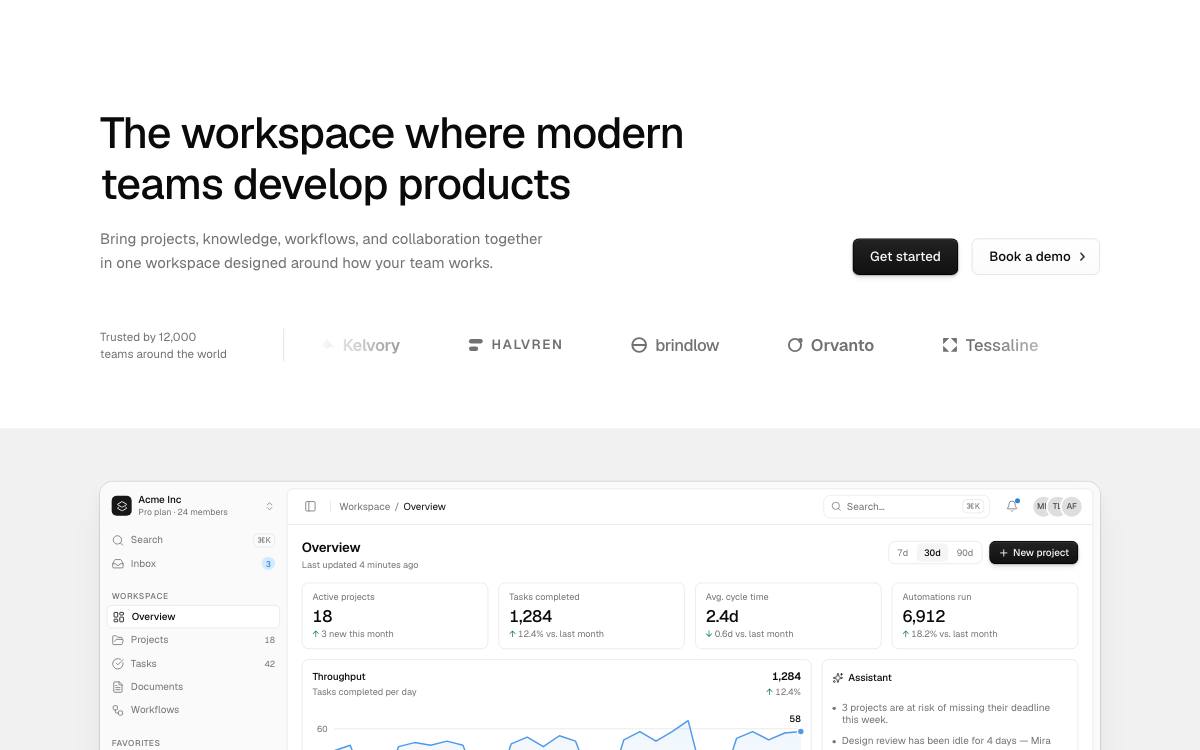
Left-aligned with the buttons at the opposite edge and a logo strip, on a band: the screenshot on a grey band running edge to edge.
Options
- Defaults to
<h1>; passas="h2"under another block's headline. - Pass your screenshot to
media, andframe={{ fade: true }}to fade its foot. - Pass an image or gradient to
art: it lies on the band at a fixed size and fades into its colour. - Pass your logos to
logos(<img>or SVG incurrentColor);logoStripsets its motion and caption. sectionsets its rhythm, width and colour scheme.buttonstakes Button Set's options.
More Hero blocks
- Hero 49
Two columns, on a band: headline in one, supporting line and buttons in the other, the screenshot beneath on a grey band running edge to edge.
- Hero 50
Two columns with an announcement, on a band: a pill above the headline, the screenshot beneath on a grey band running edge to edge.
- Hero 51
Two columns with a logo strip, on a band: scrolling customer logos under the pair, the screenshot beneath on a grey band running edge to edge.
- Hero 52
Side by side, on a band: the screenshot on a grey band filling the other half from the top of the screen to the bottom. Sized to fill the viewport.
- Hero 53
Side by side with an announcement, on a band: a pill above the headline, the screenshot on a grey band filling the other half top to bottom.
- Hero 54
Side by side with a logo strip, on a band: logos scrolling under the buttons, the screenshot on a grey band filling the other half top to bottom.