About Hero 24
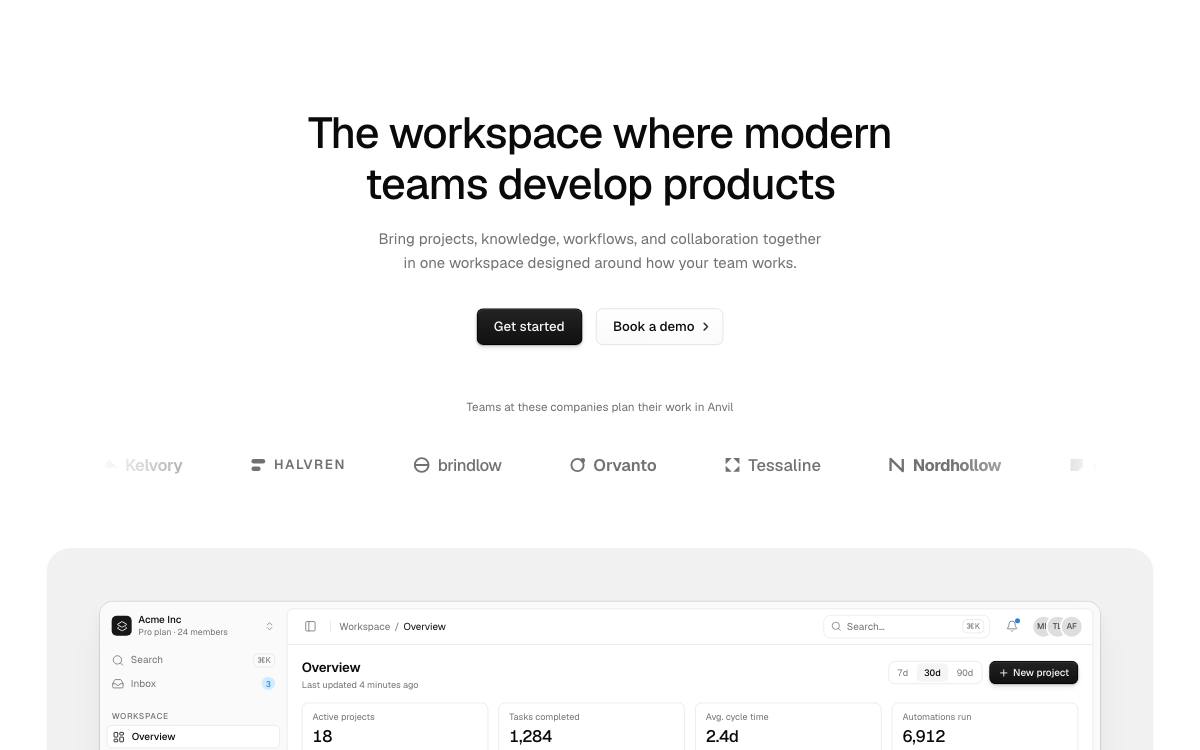
Centred with a logo strip, on a panel: customer logos scrolling under the buttons, the screenshot beneath on a rounded grey panel wider than the page.
Options
- Defaults to
<h1>; passas="h2"under another block's headline. - Pass your screenshot to
media, andframe={{ fade: true }}to fade its foot. - Pass your logos to
logos(<img>or SVG incurrentColor);logoStripsets its motion and caption. sectionsets its rhythm, width and colour scheme.buttonstakes Button Set's options.
More Hero blocks
- Hero 25
Left-aligned, on a panel: copy on the left, the screenshot beneath on a rounded grey panel wider than the page.
- Hero 26
Left-aligned with an announcement, on a panel: a pill above the copy, the screenshot beneath on a rounded grey panel wider than the page.
- Hero 27
Left-aligned with a logo strip, on a panel: a trusted-by line beside scrolling customer logos, the screenshot beneath on a rounded grey panel.
- Hero 28
Left-aligned with the buttons at the opposite edge, on a panel: the screenshot beneath on a rounded grey panel wider than the page.
- Hero 29
Left-aligned with an announcement pill and the buttons at the opposite edge, on a panel: the screenshot beneath on a rounded grey panel.
- Hero 30
Left-aligned with the buttons at the opposite edge and a logo strip, on a panel: the screenshot beneath on a rounded grey panel.