About Hero 06
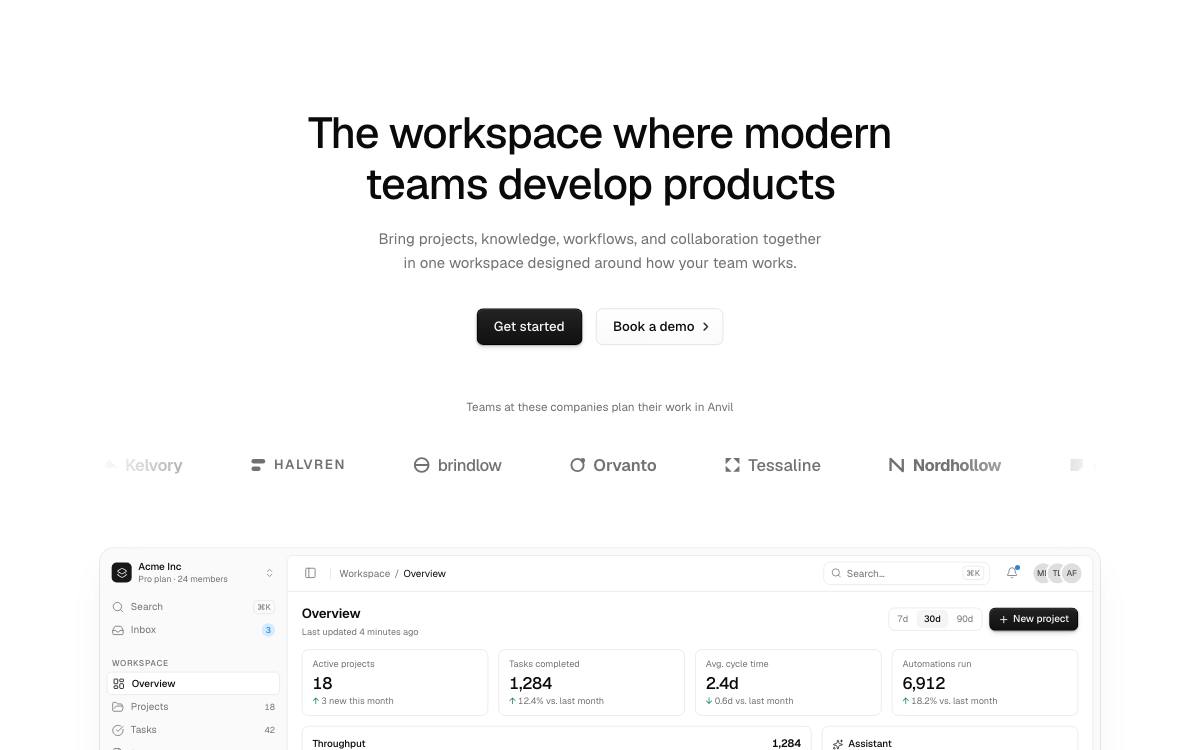
Centred with a logo strip: customer logos scrolling between the buttons and a full-width screenshot beneath.
Options
- Defaults to
<h1>; passas="h2"under another block's headline. - Pass your screenshot to
media, andframe={{ fade: true }}to fade its foot. - Pass your logos to
logos(<img>or SVG incurrentColor);logoStripsets its motion and caption. sectionsets its rhythm, width and colour scheme.buttonstakes Button Set's options.
More Hero blocks
- Hero 07
Left-aligned, screenshot beneath the copy. On narrow screens the image runs off the right edge and fades rather than shrinking to a stamp.
- Hero 08
Left-aligned with an announcement: a linked "New" badge in a pill above the copy, screenshot beneath that runs off the right edge on narrow screens.
- Hero 09
Left-aligned with a logo strip: a trusted-by line beside customer logos scrolling between the buttons and the screenshot beneath.
- Hero 10
Left-aligned with the buttons pushed to the opposite edge on desktop, screenshot beneath. For a headline short enough to leave room beside it.
- Hero 11
Left-aligned with an announcement pill above the headline and the buttons pushed to the opposite edge on desktop, screenshot beneath.
- Hero 12
Left-aligned with the buttons at the opposite edge and a logo strip under them: a trusted-by line beside scrolling customer logos, screenshot beneath.